

The Brand Consistency Problem at Scale
Every marketing team has felt it: a campaign that looked polished in a template-based design tool turns into a patchwork across Instagram, LinkedIn, and Pinterest the moment a freelancer, a regional manager, or an AI tool generates a new asset without the original style guide in hand. Colors drift. The logo ends up on the wrong background. The product lighting clashes with the lifestyle image next to it.
Fixing these issues used to mean a round-trip to a designer. Now, a new generation of AI image editing tools — built around inpainting, regional markup, and multi-reference identity models — can enforce brand consistency at the generation layer, before the asset ever lands in a social scheduler. The gains are real: recent industry research indicates that marketers using AI recover an average of 6.1 hours per week, and much of that time was previously spent on exactly these visual QA loops.
This article is a workflow-level guide. We'll cover what each editing technique actually does, which models power the current state of the art, and how to wire it all into a repeatable system using SEENALYZE AI's image editor.
Inpainting: Fix What's Wrong Without Rebuilding From Scratch
Inpainting is the technique of masking a region of an image and letting an AI fill it in, seamlessly, with something new. It sounds simple, but the results possible with current models are striking: remove a distracting background element, swap an outdated product for a new SKU, replace a cluttered shelf with a clean white surface, or fix a reflection that ruined an otherwise perfect shot.
What makes modern inpainting reliable
Older inpainting produced obvious seams and lighting mismatches. Current models understand the spatial context around the mask — ambient light direction, surface texture, depth of field — and synthesize fill content that matches. The result integrates naturally enough for social and ad creative, even at the sizes these formats demand.
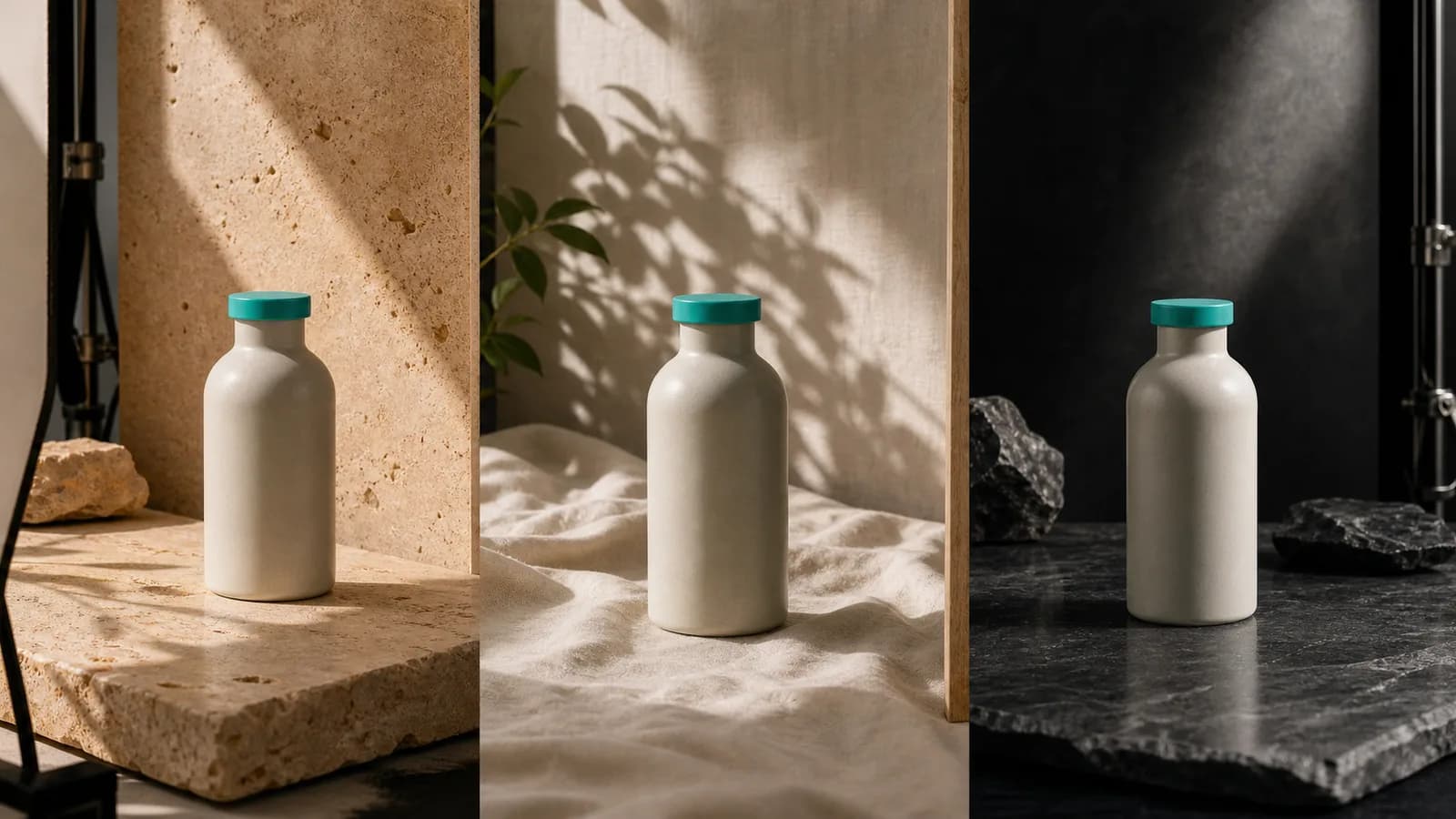
For product marketing specifically, inpainting enables a workflow that was previously expensive: shoot your hero product once, then use inpainting to place it against seasonal backgrounds, on-brand color surfaces, or themed settings for different campaigns — without a reshooting budget.
- Remove unwanted objects or people from a scene
- Swap product variants (color, size, packaging) into the same composition
- Replace backgrounds while keeping product lighting intact
- Extend an image's canvas to fit a different aspect ratio (outpainting)
Region and Markup Editing: Precision Without Photoshop Skills
While inpainting works at the pixel level, region editing works at the instruction level: you draw a bounding box or brush stroke over a part of the image and type what you want changed. The AI maps your instruction spatially and executes it within that region, leaving the rest of the image untouched.
This matters for brand consistency because it makes targeted fixes accessible to anyone on the team, not just designers who know their way around layer masks. A social media manager can select the background region and type "replace with brand-blue gradient" or select a logo area and type "remove watermark, keep background texture."
Using markup to enforce style guidelines
In SEENALYZE AI's image editor, the markup workflow lets you draw multiple regions in a single pass and assign per-region instructions. Instead of running four separate edits, you annotate the image once — background, product shadow, text overlay, corner element — and describe each change. The model processes all regions in context, so the lighting and color relationships remain coherent across the whole image.
This approach cuts revision cycles dramatically. Rather than exporting to Photoshop, editing, reimporting, and reviewing, the loop stays inside a single tool with a full edit history.
Identity-Consistent Editing: Keeping Your Subject Recognizable
One of the hardest problems in AI image editing has been subject consistency: generating the same person, product, or character across multiple images so they're identifiably the same. Early generative tools failed here — every image looked slightly different, making it impossible to run a campaign with a coherent visual identity for a spokesperson, a mascot, or even a product SKU.
Nano Banana and Nano Banana Pro (Google) represent a breakthrough approach to this problem. These models are purpose-built for identity-consistent iterative image editing — you provide reference images of your subject, and the model synthesizes new scenes, poses, and contexts while preserving the distinguishing features that make the subject recognizable. They are integrated into Google Ads alongside Veo 3.1, which signals how central consistent identity has become to automated ad creative.
Why this changes campaign production
For agencies running campaigns with a brand ambassador or product hero, identity-consistent editing means you can generate a full set of ad variations — different backgrounds, seasonal themes, format crops — from a single reference session, rather than scheduling repeated shoots. For e-commerce brands, it means your hero product image can be placed consistently across every format and channel without visual drift.
The shift from per-image editing to identity-consistent generation is the difference between fixing assets one at a time and building a visual system that holds together across an entire campaign.
Multi-Reference Brand Consistency With FLUX.2
Brand consistency across an image set requires more than a consistent subject — it requires consistent color grading, lighting style, compositional conventions, and texture. This is where FLUX.2 [pro] from Black Forest Labs becomes particularly powerful. The model supports up to 10 reference images simultaneously, allowing it to internalize a brand's full visual language and apply it to new generations.
FLUX.2 is also notable for its photorealism — outputs reach up to 4MP — and its reliable text rendering, a weakness of many competing models. For ad creative that needs legible headlines and CTAs embedded in the image, this matters. The model uses commercially licensed training data, which is relevant for brands with legal review requirements.
How to structure a multi-reference brief
- Select 6–10 existing on-brand assets that represent the look you want to replicate
- Include variety: product shots, lifestyle, close-ups, backgrounds — not just the same subject repeated
- Write a generation prompt that describes the new scene but omits style — the references carry the style
- Review the first output for color temperature and composition; adjust references if one is pulling the style in an unwanted direction
- Lock the reference set and use it for the entire campaign batch
Using a fixed reference set across a batch is what makes the output feel like a cohesive campaign rather than a collection of AI images. The model's job is to generate new content; your reference set's job is to enforce the brand contract.
Batch Editing: From One Hero Shot to a Full Asset Library
Individual image edits are useful, but the real efficiency gain comes from batching. Once you've defined the edit parameters — inpaint rule, region instructions, or reference set — you can apply them across dozens of images without touching each one manually.
A practical batch workflow for a product brand might look like: shoot 3 hero product images, define a region edit that swaps the background to 5 different brand-approved color surfaces, and generate 15 variants automatically. Add two aspect ratios (1:1 for Instagram, 9:16 for Stories) and you have 30 assets from 3 original shots. That's the kind of leverage that makes AI image editing a genuine production multiplier, not just a convenience.
Keeping quality consistent across a batch
Batch quality depends on how tightly you've constrained the generation. The common failure mode is prompts that are too loose — the AI introduces variations in lighting or crop that make the batch feel inconsistent. Fix this by being specific in region instructions (name the exact color, not just "brand color") and by including your strongest on-brand images in the reference set.
Text in Images: The Ideogram Advantage for Ad Creative
One historically stubborn limitation of AI image generators was text rendering. Earlier models produced garbled, misspelled, or stylistically inconsistent text — unusable for ad creative where the headline and CTA need to be pixel-perfect.
Ideogram 4 has established best-in-class text rendering for social and ad graphics. If your editing workflow needs to embed a headline, a price callout, or a CTA directly into the image (not as a design layer on top), Ideogram 4's text accuracy sets a new standard among AI image models. This is particularly valuable for ad formats where the platform renders the image as a flat asset without a separate text layer.
For editorial and photographic brand imagery, Midjourney v7 (default as of June 2025) leads on aesthetic quality and remains the benchmark for campaign-grade visuals. The two tools serve different ends of the same workflow: Midjourney for hero imagery and lifestyle content, Ideogram for graphics with embedded type.
Integrating AI Editing Into a Real Marketing Workflow
The mistake most teams make when adopting AI image editing is treating it as a tool for one-off fixes rather than a system. The power comes from standardization: defined reference sets, locked region templates, a naming convention for outputs, and a QA step before anything is scheduled.
A repeatable production cycle
- Intake: collect raw assets and tag them by campaign, product, and format
- Edit brief: define inpaint/region rules and reference set per campaign
- Generate: run the batch with SEENALYZE AI's image editor
- QA: review outputs against brand guide; flag and re-edit outliers
- Approve and schedule: push approved assets directly to the content calendar
This cycle works because the edit brief lives as a reusable template. The second time you run a seasonal campaign, the brief is already written. You're applying known-good parameters to new raw assets, not re-solving the style problem from scratch.
SEENALYZE AI's image editor integrates this cycle end-to-end: region markup, reference-based generation, and direct scheduling are in the same interface. There's no handoff to a separate tool for scheduling — the edited assets move straight into the content calendar.
Commercial Safety and IP Considerations
For brands with legal review, the training data provenance of the image model matters. FLUX.2 [pro] and Adobe Firefly both use commercially licensed training data — Firefly being positioned specifically for enterprise IP safety. If your brand is in a regulated industry or has a legal team that reviews creative, these models reduce the risk surface compared to models trained on scraped web data.
For most SMBs and agencies running social and ad creative, this is less acute — the practical question is output quality and workflow fit. But it's worth knowing where each model stands so you can answer the question when it comes up.
Key Takeaways
- Inpainting lets you fix, replace, or extend any element in an existing image without rebuilding it from scratch.
- Region/markup editing makes targeted changes accessible to any team member, not just designers — draw a box, type an instruction, done.
- Identity-consistent models (Nano Banana / Nano Banana Pro) solve the subject-consistency problem that made multi-image campaigns visually fragmented.
- FLUX.2's 10-reference support is the most practical tool for enforcing a brand's full visual language across a batch.
- Ideogram 4 handles text-in-image needs that most other AI models get wrong.
- The real efficiency gain is in batching with locked parameters — not one-off edits.
- SEENALYZE AI's image editor connects region markup, generation, and scheduling into a single workflow.
Frequently Asked Questions
What is AI inpainting and how is it different from regular image editing?
Inpainting uses an AI model to fill a masked region of an image with new content that matches the surrounding context — lighting, texture, depth. Traditional editing requires you to paint or clone-stamp the replacement manually. Inpainting generates a plausible fill automatically, often indistinguishable from a retouched photograph.
How many reference images does FLUX.2 support for brand consistency?
FLUX.2 [pro] supports up to 10 reference images simultaneously. This allows the model to learn a brand's color palette, lighting style, and compositional conventions from a curated set, then apply them to new generations — effectively encoding a visual style guide.
Can AI generate images with readable text for ads?
Yes — Ideogram 4 is currently the leader for legible text rendering in AI-generated images. It handles headlines, price callouts, and CTAs embedded in the image with accuracy that earlier models couldn't achieve. FLUX.2 also has improved text reliability compared to older models.
What is identity-consistent editing?
Identity-consistent editing means the model preserves the distinguishing features of a subject — a person's face, a product's shape and color, a mascot's details — across multiple generated images. Models like Nano Banana and Nano Banana Pro (Google) are built for this, making it possible to produce multi-image campaigns with a coherent visual subject without repeated photography sessions.
How SEENALYZE AI Puts This Into Practice
SEENALYZE AI's image editor brings inpainting, region markup, and reference-based generation together in an interface built for marketing teams, not graphic designers. You don't need to understand model parameters or manage prompt engineering across multiple tools. You mark the region, describe the change, and the editor handles the generation.
Assets created in the editor connect directly to SEENALYZE AI's content calendar and post scheduler. A batch of 30 on-brand images can go from edit brief to scheduled posts without ever leaving the platform. That's the workflow advantage that makes AI image editing practical at scale — not just technically impressive, but actually faster than the process it replaces.
For agencies managing multiple brand clients, each brand's reference set and region templates live separately, so switching between clients doesn't risk cross-contamination of visual styles. Every batch stays on-brand for the right brand.
Create on-brand images in minutes
Use SEENALYZE AI's image editor to apply inpainting, region edits, and brand references — then schedule directly to your channels.